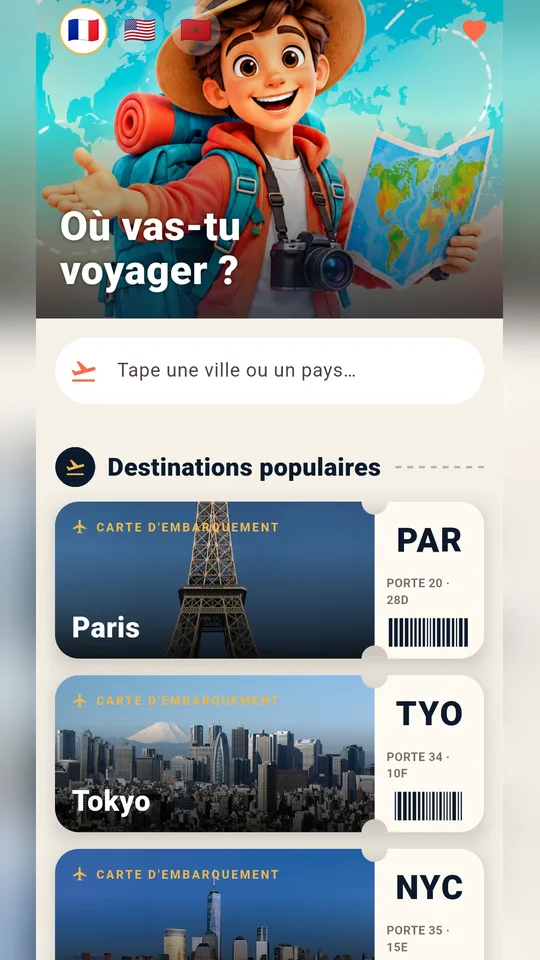
Wayfarer is a travel guide app for Android: you type a city or a country and it shows sights, restaurants, emergency numbers and useful phrases in the local language.
It does not teach math. It is meant for the students and parents who use Mathovore and also travel, whether on a school trip, a family holiday or a language exchange, and want one simple app on the phone.

Get Wayfarer



At a glance
- Platform: Android (Google Play)
- Interface languages: French, English, Arabic
- Sections: see, eat, guide, practical
- Offline: pages already viewed
- Account and ads: none
- iPhone: version in preparation
The problem it solves
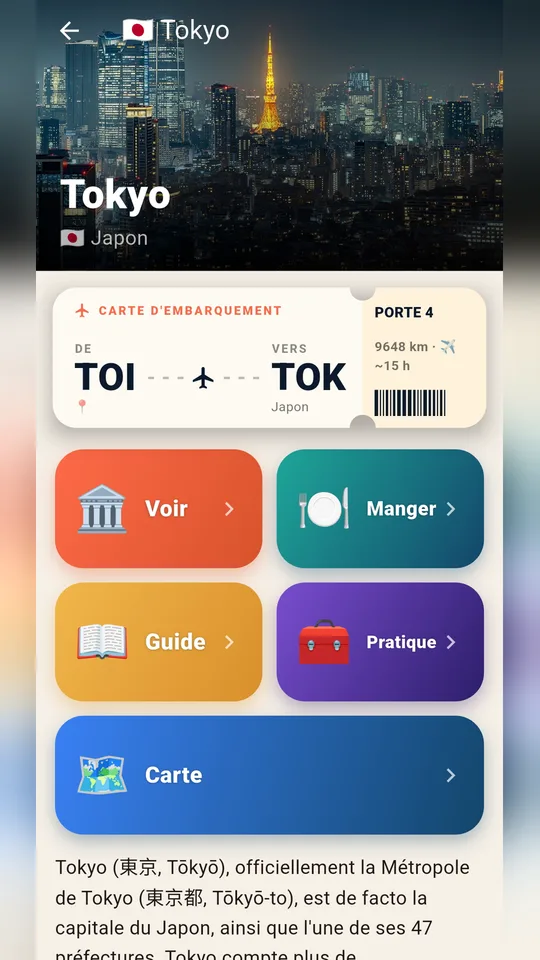
Before a trip, information is often scattered: for example, one site covers monuments, another covers restaurants, and a third lists emergency numbers. Wayfarer puts it all in one place. First, each destination gets a boarding pass listing the city, the country, the distance from your position and the estimated travel time.
What is inside
- See: landmarks and places to visit on a timeline, with pictures, a short text and a route, and also excursions near the city
- Eat: nearby restaurants, cafés and bars, shown with hours and a phone number whenever the data exists
- Guide: entry formalities, health advice, money matters and local manners to read before departure
- Practical: one tap for the country’s emergency numbers, expressions in the local language and a notebook for each destination
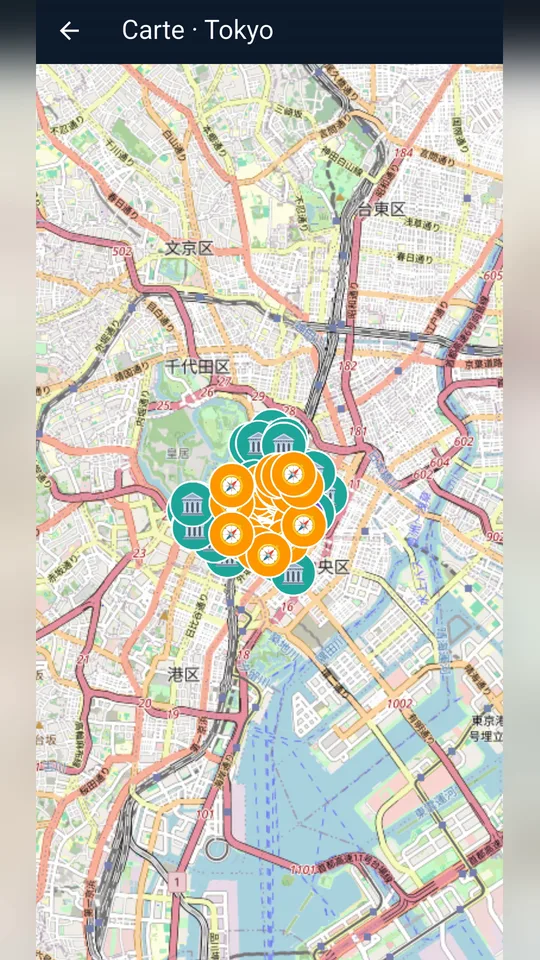
- Map and routes: each place pinned on the map, plus walking or driving routes inside the app
- Favorites and offline reading: you can read saved places and pages you already opened again with no network
Who it is for
Mathovore serves students from Grade 6 (6ème) to Grade 12, and their parents. Some of them also travel during the year, for instance on a class trip, a visit to relatives abroad or a summer holiday. So for them, Wayfarer is a practical companion that fits in a pocket.
For example, a parent planning a weekend can check the opening hours of a restaurant. Likewise, a Grade 9 student on a school trip can find the nearest emergency number in seconds.
Getting started in four steps
- First, search for Wayfarer in Google Play and install it.
- Next, pick English, French or Arabic with the flags on the home screen.
- Then type the city or country you are visiting and open its boarding pass.
- Finally, browse the sections, save favorites and start directions from the map.
How it connects to Mathovore
This site offers lessons, quizzes and practice, not travel content. Wayfarer helps when learning continues away from the desk, because you can set the interface to English during a trip abroad. However, for daily practice at home, see the math lessons, the math quizzes or the Grade 6 math page.
Good to know
The app interface comes in French, English and Arabic only, so it does not translate itself into other languages. The phrases it shows use the local language of the destination you choose. Open the pages of your destination before leaving, while you have a connection, because only what you already viewed stays available offline.
The app uses your position only for distances and directions, and it never saves it. There is no account and no advertising. Wayfarer runs on Android phones, but the iPhone version is still in preparation.
Frequently asked questions
What is a good travel guide app for Android without an account?
Wayfarer is a travel guide app for Android that needs no account and shows no ads. First, type a city or country. Then you get sights, restaurants, emergency numbers, local phrases and a map with directions.
Which languages does the Wayfarer interface support?
The interface is available in French, English and Arabic, and Arabic is displayed from right to left. You choose the language with the flags on the home screen. The app does not offer other interface languages.
Does Wayfarer work offline during a trip?
You can read pages you already viewed without a connection. So open your destination at home or at the hotel first, then read it again later on the road. However, new pages need a connection to load.
Does Wayfarer track my location?
No. The app uses your position only to compute distances and directions, and it never saves it. It collects no personal data. It is available on Android, but the iPhone version is still in preparation.