

AICKO WORD is a word processor app for Android that opens and saves .docx files, exports to PDF and includes an equation editor. It gives a phone or tablet a ribbon with tabs, much like a desktop program.
It needs no account, shows no ads and works fully offline. Your files stay on your device, which makes it a calm place for a student to write a report, a letter or a set of solved problems.

Get AICKO WORD
At a glance
- Platform: Android
- Files: open and save .docx, export PDF
- Equation editor: yes
- Offline use: yes
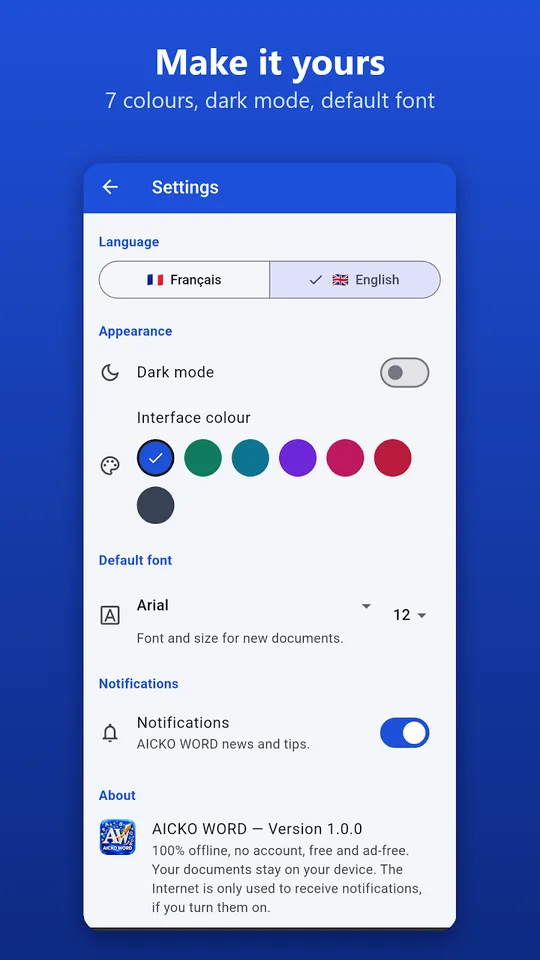
- Interface: French or English, 7 colors, dark mode
- Account and ads: none
The problem this word processor app solves
A teen often needs to finish an essay or a lab report away from a computer. Typing in a basic notes app loses the formatting, and a Word file sent by a teacher can look broken. AICKO WORD opens real .docx documents and keeps a proper layout on a phone.
What AICKO WORD includes
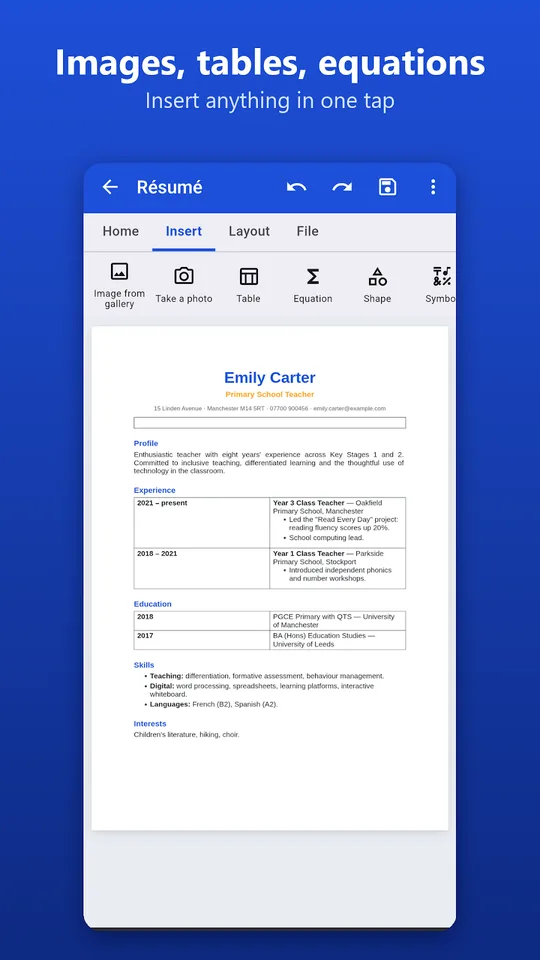
- A ribbon with Home, Insert, Page layout and File tabs.
- Bold, italic, underline, strikethrough, superscript, subscript, font, size, color and highlight.
- Heading styles, lists, alignment, indents and line spacing.
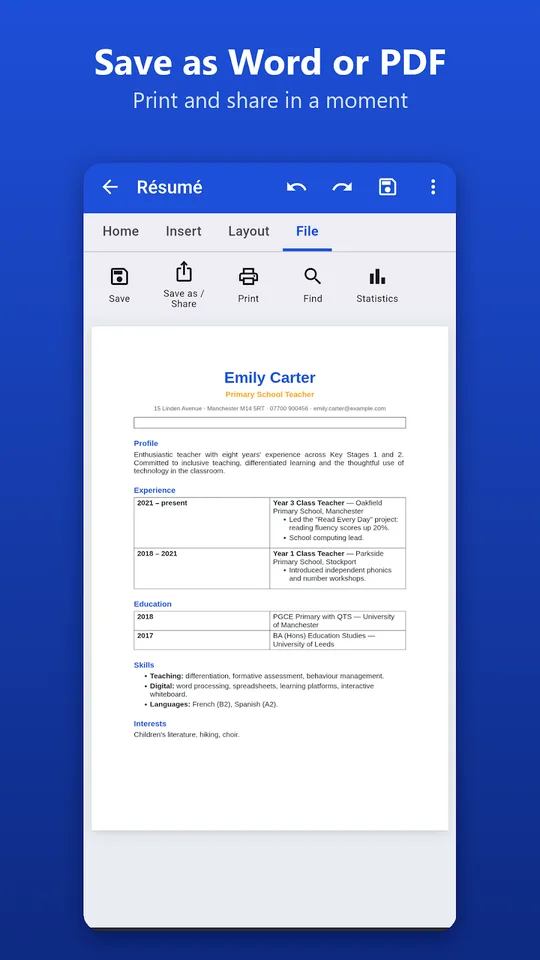
- Open and save in .docx, and export to PDF, plain text or a web page.
- An equation editor with fractions, roots, powers, subscripts, integrals and matrices.
- Photos from the gallery or camera, tables, shapes, symbols, links, lines and page breaks.
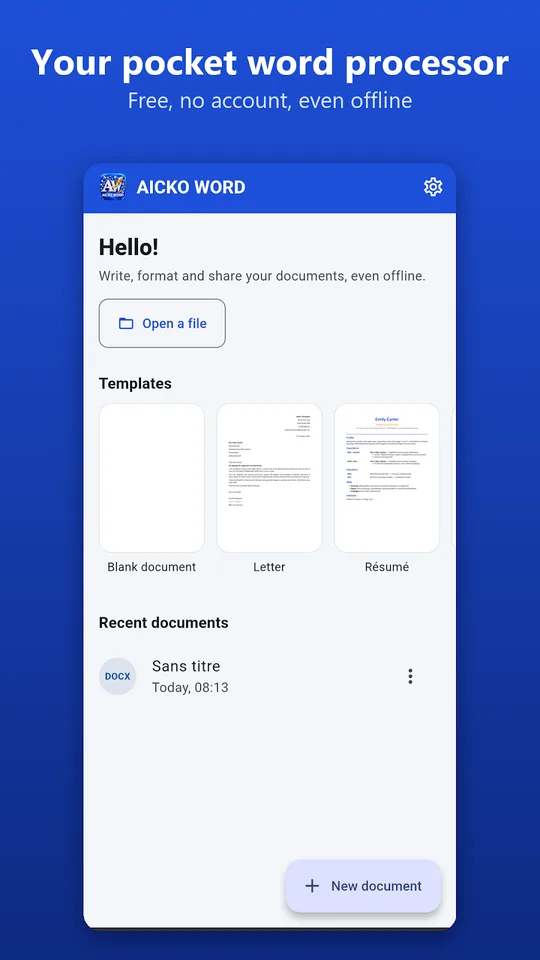
- Ready-to-fill templates: resume, letter, course notes, worksheet, test, invoice and report.
- Page sizes A4, A5, A3 and US Letter, portrait or landscape, margins, page numbers, find and replace, statistics and direct printing.
You can choose among seven interface colors and a dark mode, and the interface comes in French or English.
Who it is for
The equation editor makes the app especially useful for math and science work.
- Students who write reports or essays on a phone or tablet.
- Math students who need to type fractions and roots in a homework file.
- Teachers who prepare a worksheet or test and want a clean template.
A typical use: a student starts a lab report on the phone during the bus ride, adds a table of measurements, then finishes the document later on a computer. Because the format is .docx, the file opens in other word processors too, and the PDF export gives a version that looks the same on every screen. Teachers can open a template, change the title and print a worksheet directly from the app.
Getting started
- Install the app on an Android phone or tablet.
- Start from a template or open a .docx file received by email.
- Type your text and format it from the ribbon.
- Insert an equation, table or photo where you need it.
- Save as .docx, export to PDF, or share it in one tap.
A full Windows version of AICKO WORD also exists, so a document can move from the phone to a computer.
Why it matters for math students
Showing your work is part of every math grade. A typed solution with clear fractions is easier to read than a photo of messy handwriting. Use the equation editor with the examples in our Algebra 1 math pages, and check a notation question in the math glossary. Our math lessons give the method, and AICKO WORD helps you present it neatly.
Frequently asked questions
Is there a word processor app for Android that opens .docx files?
Yes. AICKO WORD opens and saves .docx documents on Android and can export to PDF, plain text or a web page. It has a ribbon with Home, Insert, Page layout and File tabs, like a desktop program.
Can I write math equations in AICKO WORD?
Yes. The built-in equation editor supports fractions, roots, powers, subscripts, integrals and matrices. It is designed for teachers, students and anyone who needs to type math in a document.
Does AICKO WORD work offline?
Yes. The app works entirely offline, needs no account and shows no ads. Your documents stay on your device, and you decide when to share them by email, messaging or print.
Does it have templates?
Yes. It includes ready-to-fill templates for a resume, a letter, course notes, a worksheet, a test, an invoice and a report, so you can start from a clean layout instead of a blank page.
