AICKO TRADUCTION is a photo translator app for Android that also translates typed text and spoken sentences between 12 languages. Once the languages are downloaded, it works without a connection.
It does not solve math problems. It removes a different obstacle: a worksheet in another language, a school trip abroad, a relative who speaks Spanish or Arabic at home, or a pen pal who writes in German.
Get AICKO TRADUCTION
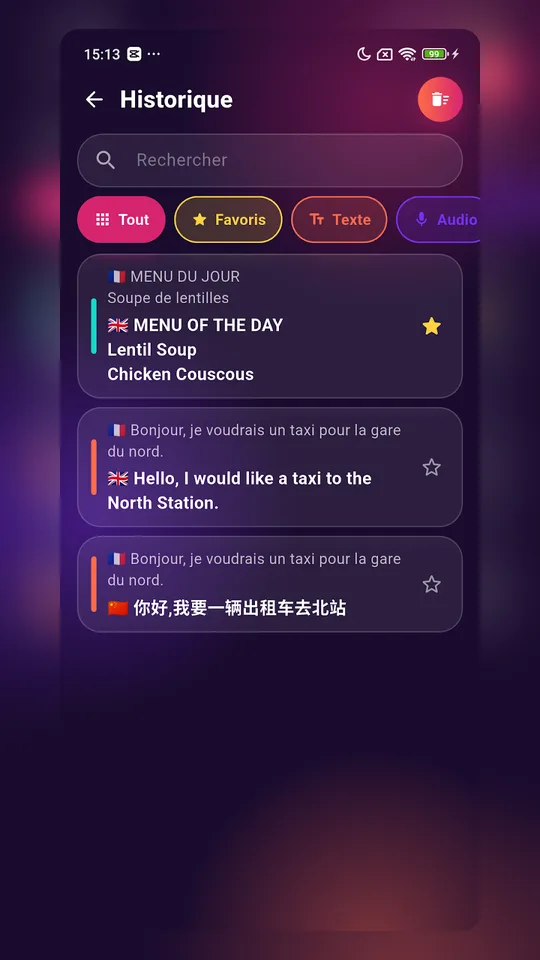
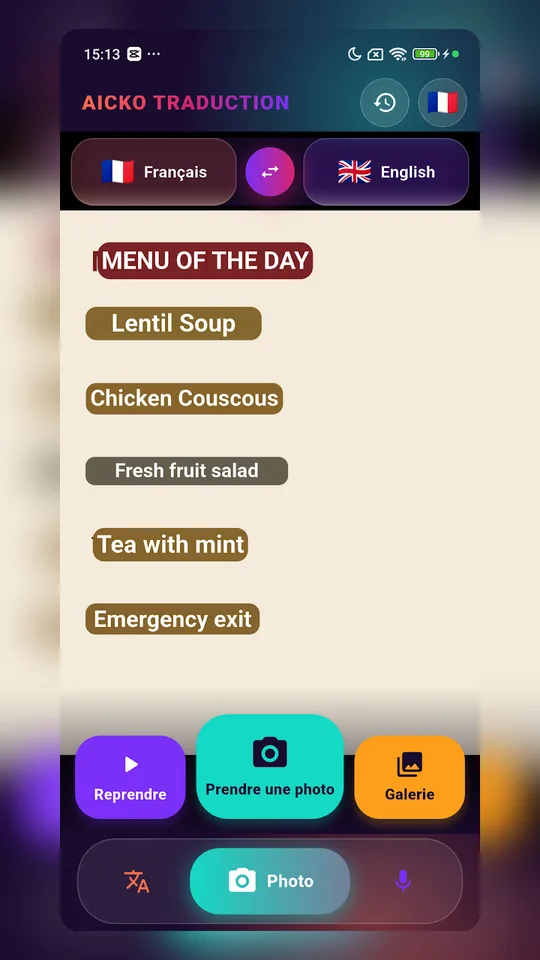
At a glance
- Platform: Android (Google Play)
- Languages: 12, including Moroccan darija
- Modes: text, photo, audio
- Works offline: yes, once languages are downloaded
- Account and ads: none
- iPhone: version in preparation
The problem it solves
Math practice stops the moment you cannot read the question. A student who moved from another country, a parent helping with homework in a second language, or a class exchange with a school in Spain all run into the same wall. A translator in your pocket lets you read first and think about the math second.
The photo mode is the most useful here: point the camera at a printed page and the translation appears over the original words.
What the app does
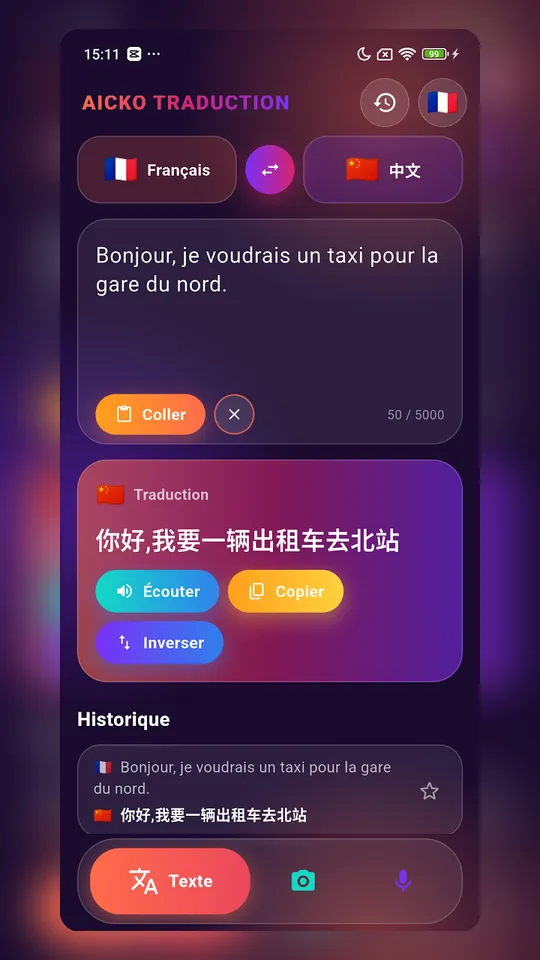
- Text: type a sentence, pick the target language, tap the speaker to hear it
- Photo: live translation over a sign, a menu or a document, or from a picture in your gallery
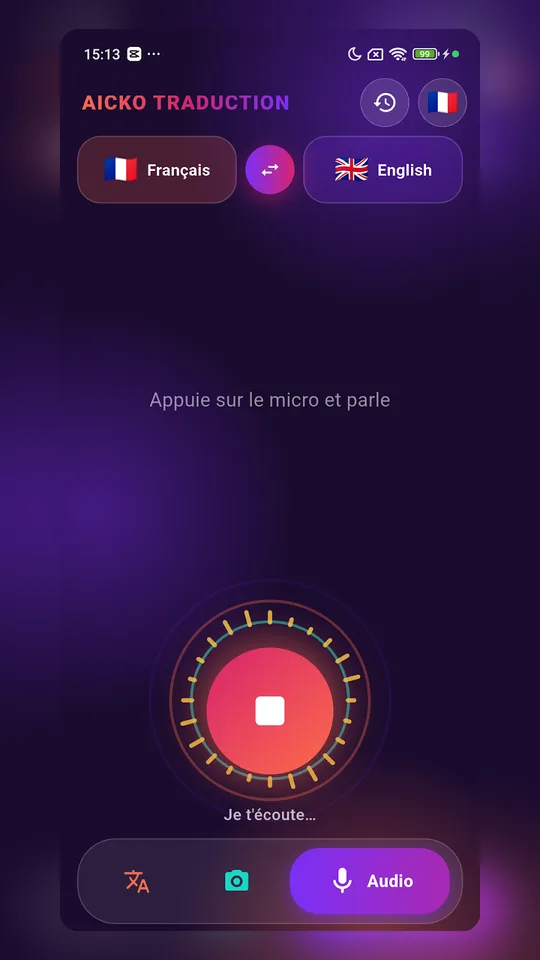
- Audio: speak in your language and the app says the sentence in the one you chose
- Offline: download each language once and translate without a network
- History and favorites: saved on your phone only
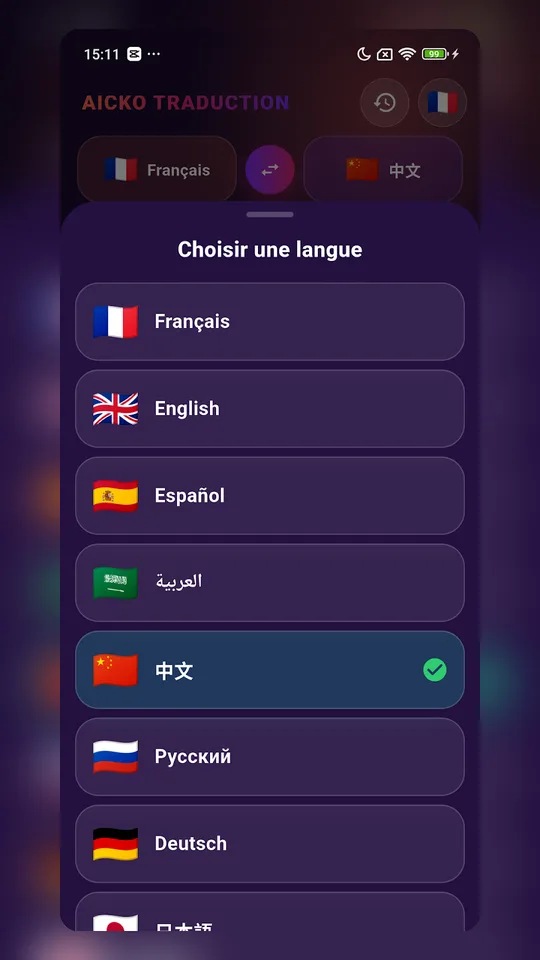
The 12 languages are Chinese, Arabic, Turkish, Russian, English, French, Moroccan darija, Spanish, Japanese, Korean, German and Italian. Darija is online-only here, and French and English are the only languages it pairs with.
Who it helps
Mathovore serves students from Grade 6 to Grade 12 and their parents. Typical situations:
A Grade 8 (4ème) student reads an English-language problem set on a French site. An Algebra 1 (3ème) family speaks Arabic at home and wants to follow the instructions. A high school student travels to Italy with the school and needs to order lunch.
Getting started
- Find AICKO TRADUCTION on Google Play and tap install.
- Use the flags to set the language you read and the one you want.
- Save the languages you expect to need while away from Wi-Fi.
- Switch between text, photo and audio depending on the situation.
How it fits with the site
Use the app for the words around the math, and use the site for the math itself. The math lessons explain each topic, the math quizzes give you quick daily practice, and the Algebra 1 pages collect everything for that course.
The Mathovore pages are written in French and English, so a bilingual family can read a lesson in one language, check a word in the other, and keep going. The translator is a reading aid, not a substitute for the lesson, and an automatic translation can misread a technical term. When a word looks odd, compare it with the lesson.
A short daily habit works well. Spend two minutes saving the words you looked up as favorites, then reread them before the next quiz. Over a few weeks the list becomes your own small glossary, kept on the phone.
The app has no account and no ads. An iPhone version is in preparation, so for now it is an Android app only.
Frequently asked questions
Is there an app that translates a photo of a worksheet?
Yes. AICKO TRADUCTION has a photo mode that translates text seen by the camera, shown live over the original. You can also pick a picture from your gallery. It runs on Android and covers 12 languages.
Can I translate text without internet on my phone?
You can, after downloading each language once. Text, photo and audio then work offline. The exception is Moroccan darija, which needs a connection and pairs only with French and English.
Which languages can AICKO TRADUCTION translate?
It translates Spanish, Korean, Chinese, French, Russian, German, Turkish, Japanese, Italian, English, Moroccan darija and Arabic. The menus come in 11 languages, and you pick them using flags.
Does the translator need an account or collect my data?
No account is needed and the app shows no ads. It collects no personal data. Your translation history and favorites stay stored on your own phone. The iPhone version is still being prepared.