


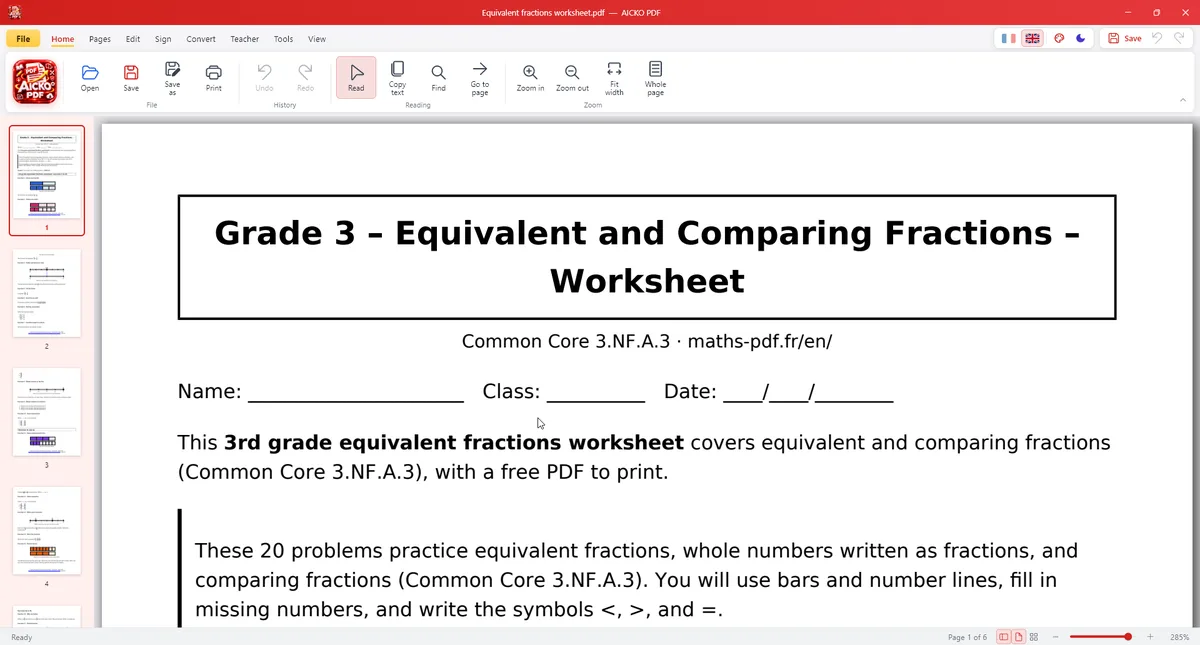
AICKO PDF is a free PDF editor for Windows 10 and 11. It reads, edits, organizes, compresses, signs and converts PDF files, and it works without an account or an internet connection.
Your files stay on your computer. The interface is in French or English, with a dark mode and seven colors. It suits students, parents and teachers who want to handle school documents without sending them to an online service.
Get AICKO PDF
At a glance
- Platform: Windows 10 and 11
- Price: free
- Edit: text with original font, pages, signature
- Convert: PDF to Word, PNG, JPG
- OCR: yes, with Windows text recognition
- Offline use: yes, no account
The problem this free PDF editor solves
School paperwork arrives as PDF: forms, worksheets, scanned notes, exams. Fixing one word, merging two files or signing a page often leads to a paid tool or to a website that asks you to upload private documents. AICKO PDF does the work on your own computer.
What AICKO PDF can do
- Edit text: double-click a line to correct it while keeping the original font, size and color. Add bold, italic, alignment and new text boxes.
- Organize pages: drag and drop thumbnails, delete, rotate, duplicate, extract or insert pages, merge several PDFs or split one.
- Convert: PDF to Word (.docx), PDF to PNG or JPG, and images or photos to PDF.
- Compress a PDF, draw a signature, add stamps, a watermark and page numbers.
- Protect a file with an AES-256 password, and truly redact sensitive information.
- OCR: make a scanned PDF searchable and copyable with the Windows text recognition.
- Fill in forms and have a document read aloud.
Tools for teachers
AICKO PDF also helps teachers prepare class material: fill-in-the-blank sheets, a split between questions and answer keys, an A5 booklet, two or four pages per sheet, and a version adapted for students with dyslexia.
Who it is for
- Students who need to merge, reorder or sign school documents.
- Parents who handle forms and want to keep files private.
- Teachers who build worksheets and booklets from existing PDFs.
Privacy deserves a word. Many online PDF sites ask you to upload the file, which is a poor idea for a report card, a medical form or an ID copy. Here the work stays on your computer, so nothing leaves it. When you share a document, you can add a watermark or redact a name first, and the redaction really removes the hidden text, not just a black box on top of it.
Getting started
- Download AICKO PDF for Windows 10 or 11 using the button on this page.
- Open a PDF from the menu or drag it into the window.
- Pick a tool: edit text, organize pages, convert, compress or sign.
- Check the result in the preview.
- Save the file under a new name to keep the original.
How it helps with math homework
Math worksheets are usually PDFs. With AICKO PDF a student can merge several worksheets into one file, extract only the pages to print, or add text to a page. Combine it with our math lessons for the explanations and the math books section for longer practice sets. Unfamiliar terms are quick to check in the math glossary.
Frequently asked questions
Is there a free PDF editor for Windows that works offline?
Yes. AICKO PDF is a free PDF editor for Windows 10 and 11 that works without an account or an internet connection. It edits text, organizes pages, merges, compresses, signs and converts PDF files on your computer.
Can AICKO PDF convert a PDF to Word?
Yes. It converts PDF to Word (.docx), PDF to PNG or JPG, and images or photos to PDF. Conversions run on your computer, so your files are not uploaded to any website.
Can it read scanned documents?
Yes. The OCR feature uses Windows text recognition to make a scanned PDF searchable and copyable. You can then edit, compress or read the document aloud, and fill in forms in the same program.
Is my PDF kept private?
Yes. Everything is processed on your own computer, and the program needs no account and no connection. You can also protect a file with an AES-256 password or truly redact sensitive information.
