


AICKO MAIL is a free email client for Windows 10 and 11. It gathers all your accounts in a unified inbox and adds filters, blocked remote images, scheduled sending and a quick reply box.
It works with IMAP, POP and SMTP accounts and detects the server settings for you. The interface is in French or English, with day and night modes. It is a calm tool for a household that shares several addresses.

Get AICKO MAIL
At a glance
- Platform: Windows 10 and 11
- Price: free
- Protocols: IMAP, POP, SMTP
- Privacy: remote images blocked, tracker count
- Extras: scheduled send, undo send, QR sync with phone
- Interface: French or English, 8 colors
The problem this free email client solves
A family often has several mailboxes: one for school, one for activities, one personal. Checking each site or app wastes time, and so a message from a teacher is easy to overlook. AICKO MAIL puts every account in one place, with a layout that stays easy to read.
What AICKO MAIL offers
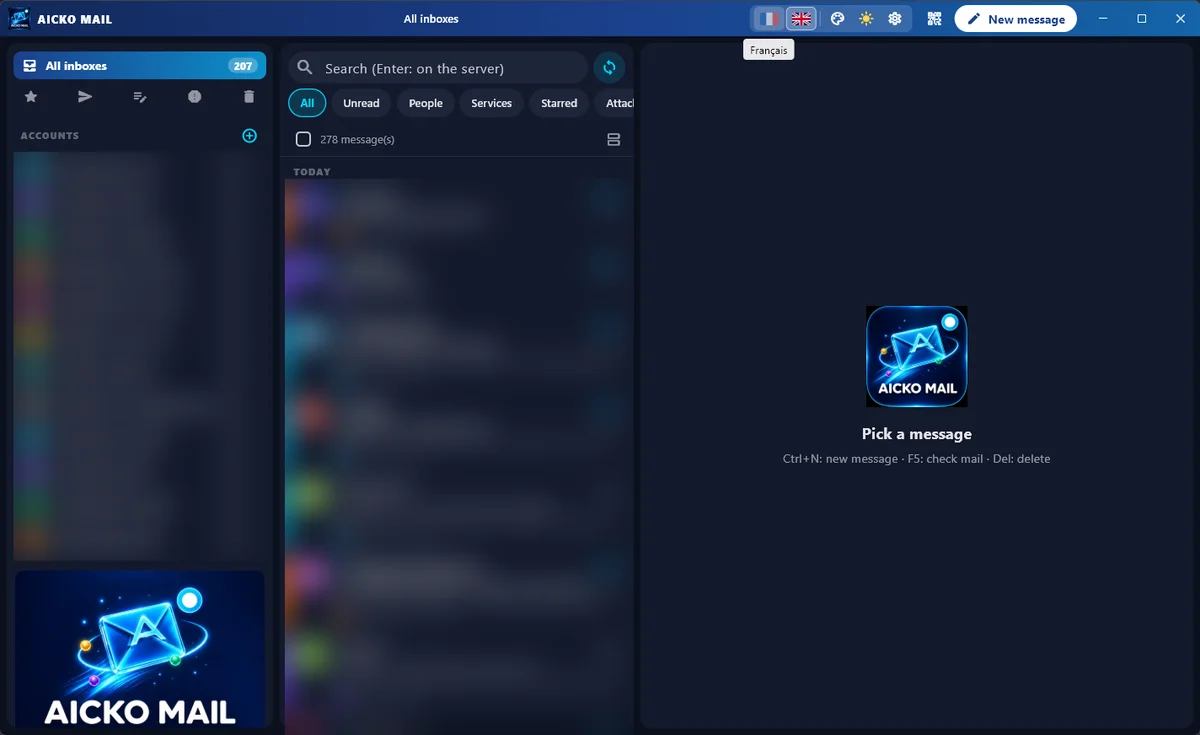
- Three columns: folders and accounts, the message list, and the reading pane.
- Unified views across accounts, plus one folder tree per account.
- Search and filters: All, Unread, People, Services, Favorites and Attachments.
- Multiple selection with Shift, Ctrl or check boxes.
- The program blocks remote images by default, and it counts the trackers in each message.
- A rich text editor with a plain text option, undo send, scheduled sending and a warning when you mention an attachment but forget to add it.
- Per-account photo, signature, short name and color.
- Server detection for common providers, with manual settings if you need them.
Windows encrypts the stored passwords. Besides, day and night modes and eight colors let you adjust the look.
Moving in and syncing
AICKO MAIL can import accounts from Thunderbird and from classic Outlook, but you must retype the passwords. It can also share your accounts with a phone by scanning a QR code, over your local network. The first time, Windows may ask you to allow the program through the firewall.
Who it is for
- Parents who manage several mailboxes and want to see them together.
- Teens who receive mail from teachers and activities.
- Anyone who wants to block tracking pixels in newsletters.
The layout follows a familiar three-column pattern, so a new user finds things quickly. When you select a message, it opens in the reading pane, where a quick reply box sits at the bottom. If you delete or move a message, the program updates the server folder too, so the change appears on your other devices. Also, the signature editor lets you add a logo, or you can paste your own HTML code and preview it.
Getting started
- Download AICKO MAIL for Windows 10 or 11 using the button on this page.
- Add your first account with your address and password.
- Let the program detect the server, or enter it by hand.
- Add the other accounts, then choose a color for each.
- Use the filters to see unread mail or messages with attachments.
How it fits with a math site
Good study habits start with a clear inbox. Teachers send assignments by email, and a unified view makes sure you miss none. Keep a tab with our math lessons open beside the mail, and use the math glossary when a message mentions a term you do not recognize.
Frequently asked questions
Is there a free email client for Windows with a unified inbox?
Yes. AICKO MAIL is a free email client for Windows 10 and 11 that shows all your accounts in a unified inbox. It supports IMAP, POP and SMTP and detects the server settings of common providers.
Does AICKO MAIL block tracking images?
Yes. The program blocks remote images by default, and each message shows how many trackers it found. You can choose to load the images when you trust the sender.
Can I schedule an email or undo a send?
Yes. The editor supports scheduled sending and undo send. It also warns you when your text mentions an attachment but you attached none, which prevents a common mistake.
Can I import my accounts from another program?
Yes, from Thunderbird and from classic Outlook. The program imports addresses and servers, but you must retype the passwords. However, it cannot import the new Outlook or the Windows Mail app.
