
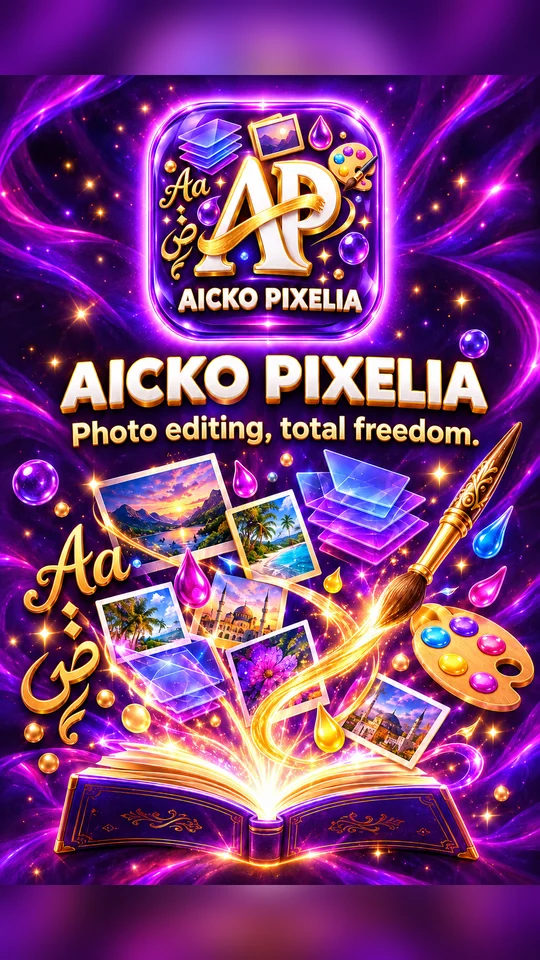
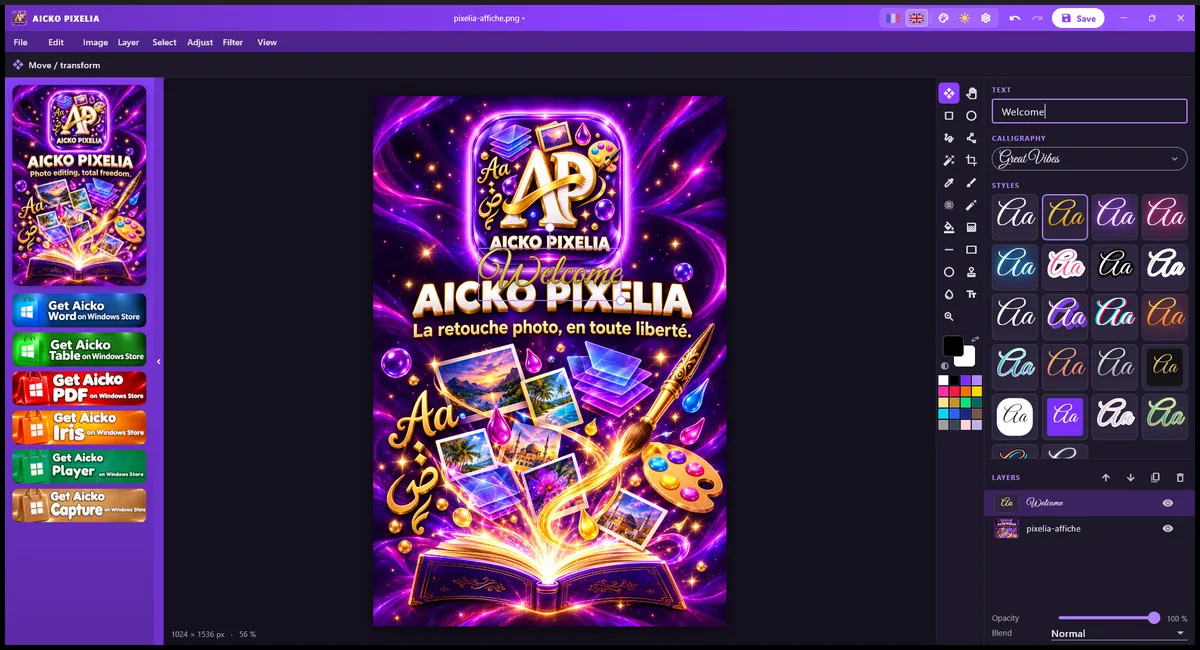
AICKO PIXELIA is a free photo editor for Windows 10 and 11. It offers layers, filters and image adjustments, cropping, text with calligraphy fonts, and export to PNG or JPG.
It keeps to the essentials, so a student or a parent can retouch a picture or build a poster without learning a professional program. The interface is in French or English.
Get AICKO PIXELIA
At a glance
- Platform: Windows 10 and 11
- Price: free
- Tools: layers, filters, cropping, text
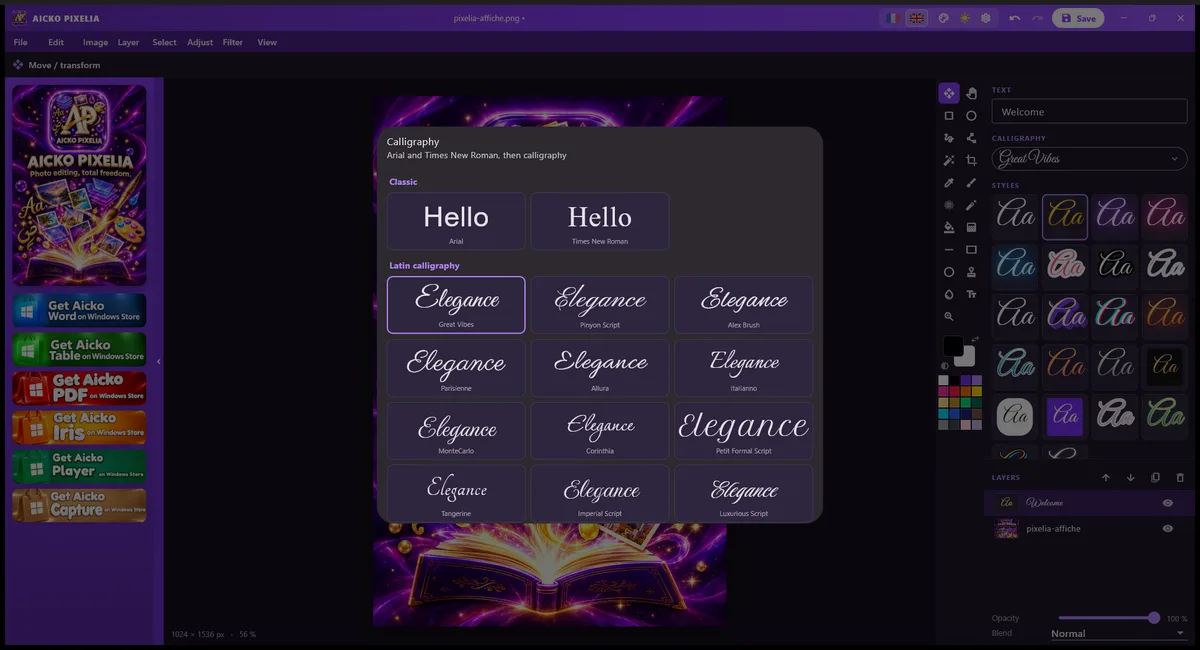
- Fonts: 18 Latin and 12 Arabic calligraphies
- Export: PNG or JPG
- Interface: French or English
The problem this free photo editor solves
School projects need pictures: a poster for a science fair, a cover for a report, a cleaned-up scan of a diagram. Professional editors are heavy and confusing, and online tools often add watermarks or ask for an account. AICKO PIXELIA gives you the useful tools in a simple window.
What AICKO PIXELIA offers
- Layers, with opacity, blending modes and ordering.
- Filters and image adjustments to fix light and color.
- Cropping and a change of document size.
- Text on the image, with Arial and Times New Roman.
- 18 Latin calligraphy fonts and 12 Arabic ones, included in the program.
- 22 text styles, such as neon, gold, sticker, 3D and glitch.
- Export to PNG or JPG.
- French or English interface, with a choice of colors.
The program is inspired by classic simple editors, but it is a new design written for Windows.
Who it is for
- Students who make a poster or an illustrated report.
- Parents who want to crop and brighten family photos.
- Teachers who prepare a visual for a lesson or a worksheet.
- Anyone who writes in Arabic and wants beautiful lettering on an image.
A few habits make the work easier. Keep the original photo untouched and export the edited version under a new name. Use one layer per element, so you can move a label without disturbing the picture. For a poster, start with the document size you need, because changing it later can blur the image. The settings let you pick the interface color, which helps when several people share one computer.
Getting started
- Download AICKO PIXELIA for Windows 10 or 11 using the button on this page.
- Open a picture or create a new document at the size you need.
- Crop it, then adjust the light and color with a filter.
- Add a text layer, pick a font and a style, and move it where you like.
- Export the result as PNG, or as JPG for a smaller file.
Working with layers means you can change one element without touching the rest. Lower the opacity of a text layer to let the photo show through, or change the order to put a shape behind a title.
How it supports math projects
Math fairs and class projects are more convincing with clear pictures. A student can photograph a geometric construction, crop it, add labels in a readable font and export it for a slide. Pair it with our geometry math pages for the ideas, and browse the math lessons for other levels. The math glossary helps you choose the right word for each caption.
Frequently asked questions
Is there a free photo editor for Windows with layers?
Yes. AICKO PIXELIA is a free photo editor for Windows 10 and 11. It supports layers with opacity and blending, filters, adjustments, cropping, text and export to PNG or JPG, without an account.
Does AICKO PIXELIA include Arabic fonts?
Yes. The program includes 18 Latin calligraphy fonts and 12 Arabic ones, plus Arial and Times New Roman. There are also 22 ready-made text styles, such as neon, gold, sticker, 3D and glitch.
Which formats can I export?
You can export your work to PNG, which keeps transparency, or to JPG, which gives a smaller file. Both are widely supported for slides, documents, websites and printing.
Is AICKO PIXELIA hard to learn?
No. It keeps only the essential tools: layers, filters, adjustments, cropping, document size and text. The interface is available in French or English, and you can change its color in the settings.
